Ballast reports where your Shopify money settled and flags every stream that will never appear in a Shopify payout — right inside Microsoft 365 Copilot. Deterministic, read‑only, and it exports any view to Excel.
Works from an order export you upload — no app, no store connection, and it stores no customer data.
What the payout report won't tell you
Everything you need to know where your Shopify money went — in one Copilot agent.
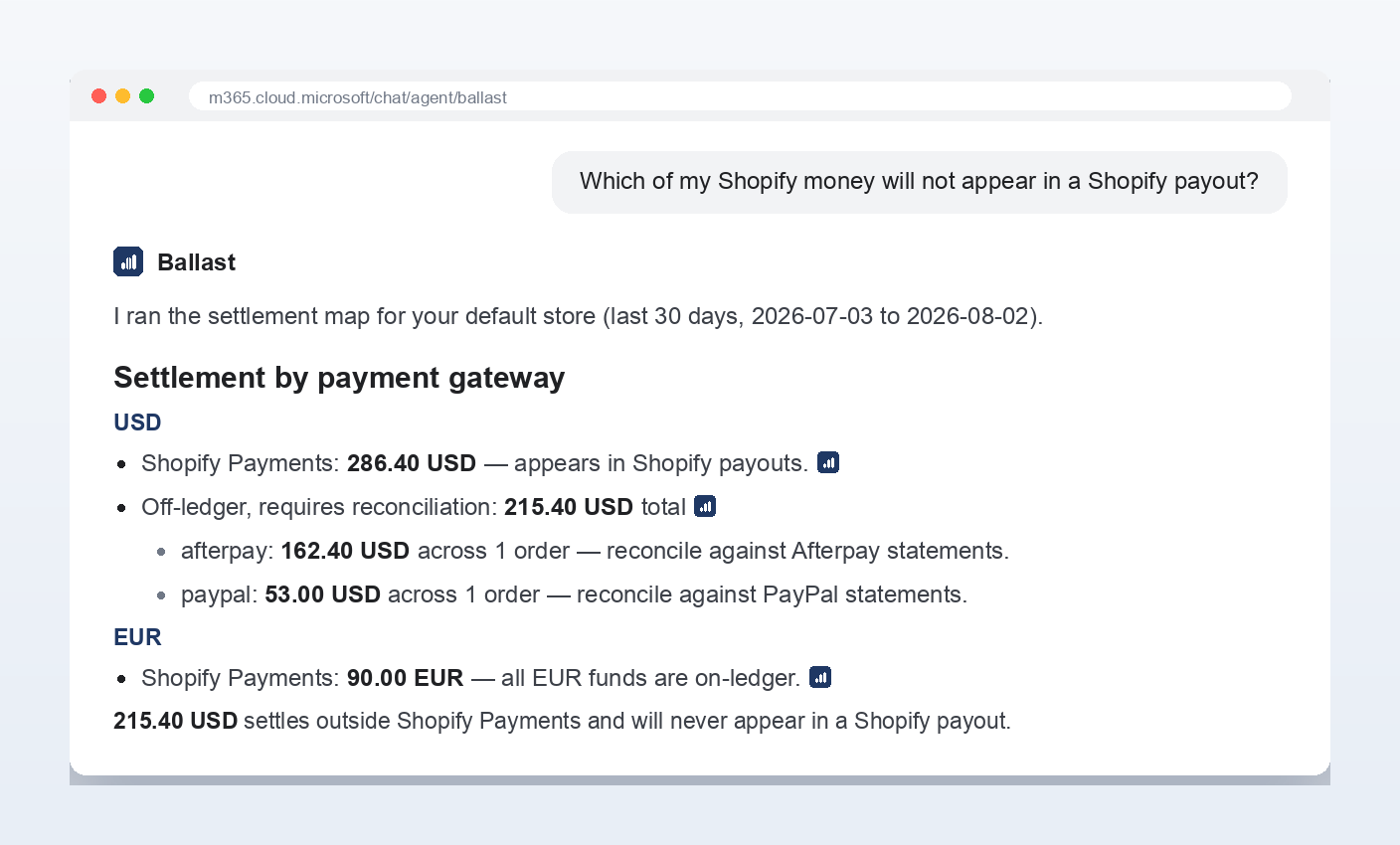
Off-ledger money, named
Shopify's payout report structurally excludes third-party processors. Ballast names every gateway — Afterpay, PayPal, Shop Pay Installments, GrabPay — whose money will never reach a Shopify payout.
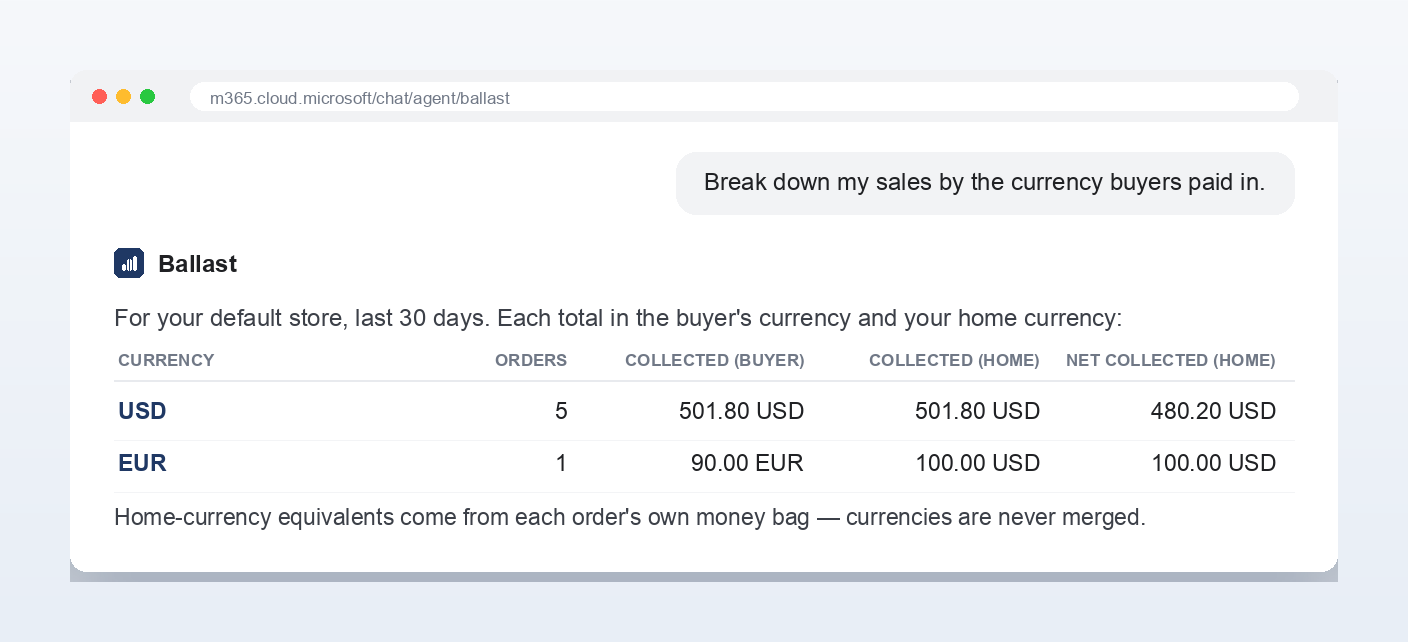
Multi-currency, normalised
Every order in both the buyer's currency and your home currency — taken from the order's own money bag, never an FX guess. Currencies are kept strictly separate.
Refunds & honest net
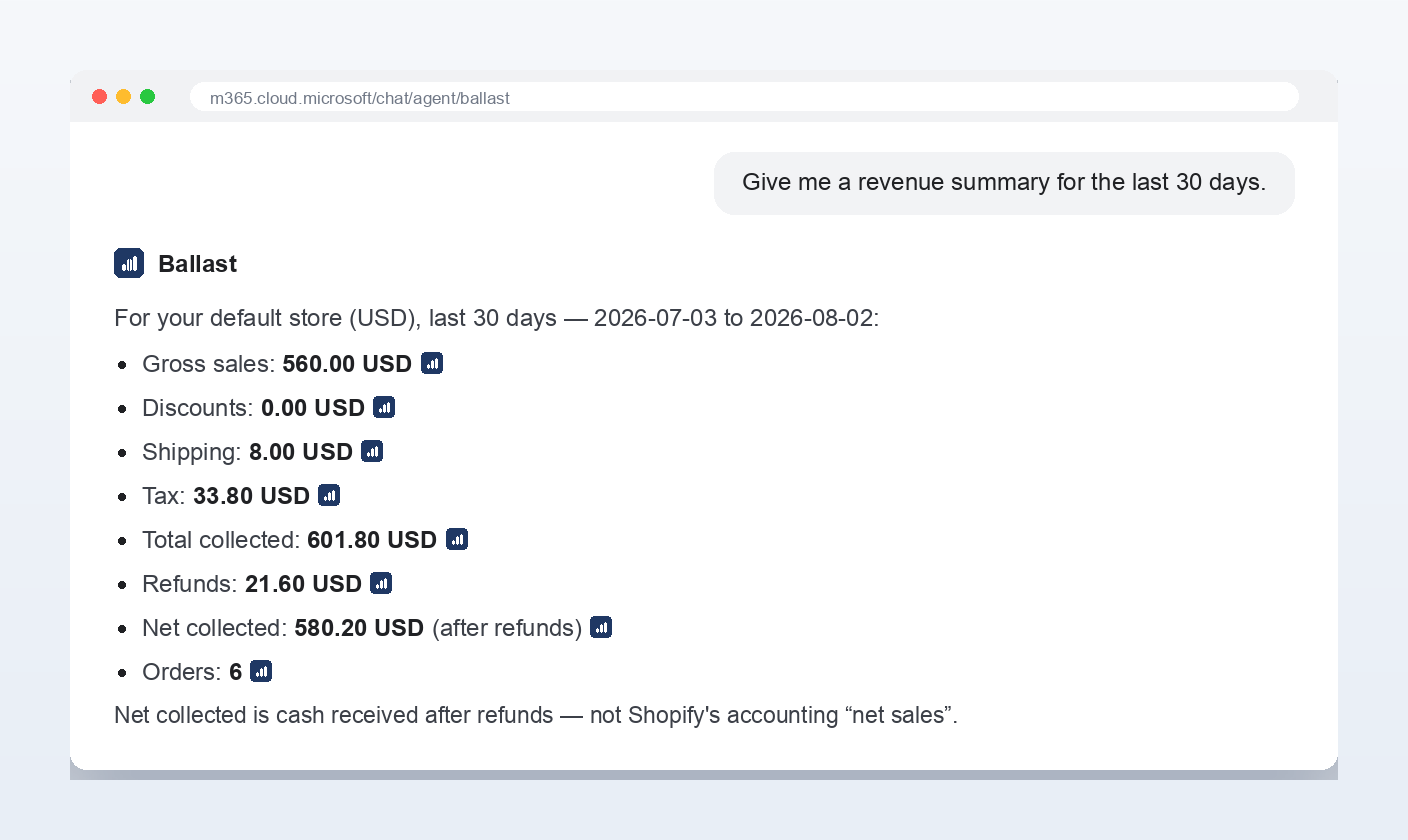
Every refund set against the order it came from. You get total collected and net collected as separate lines — never a fake “net sales” that hides tax and shipping.
Tax collected
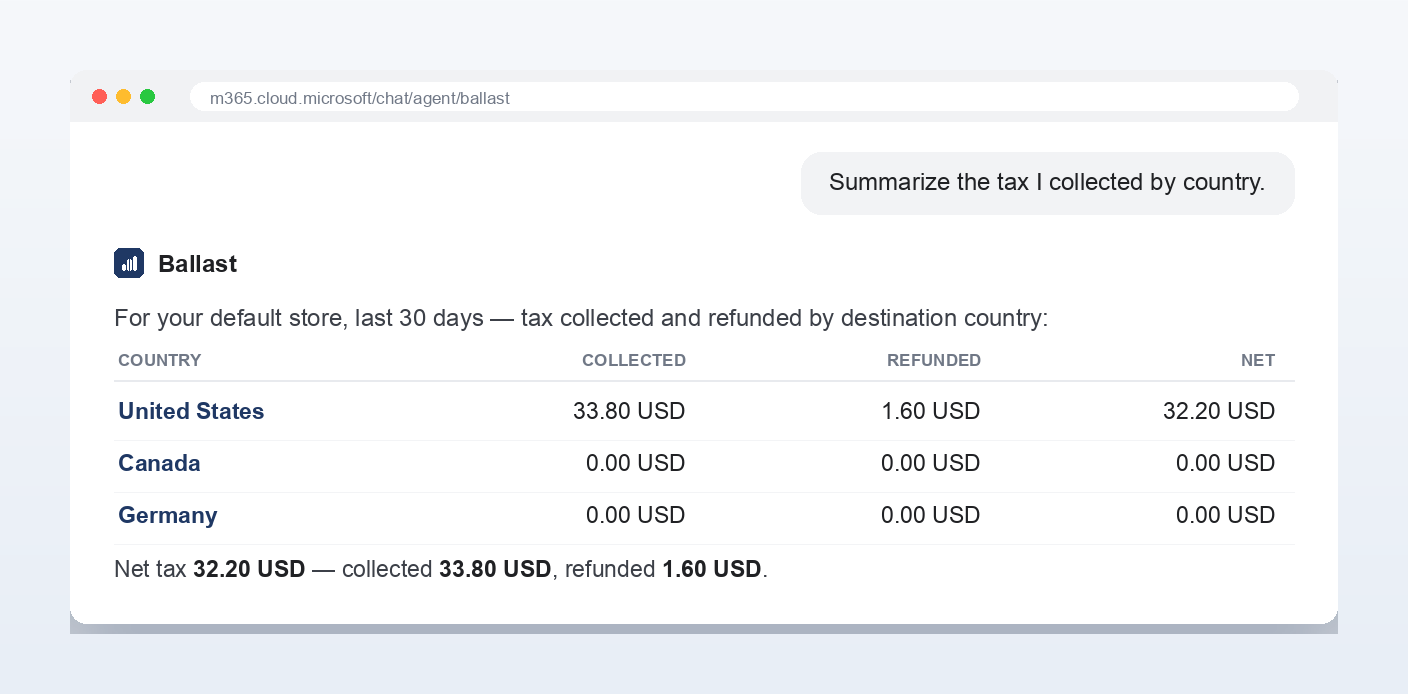
Tax collected and refunded by destination country, summarised for the period you ask about — filing-ready, and exportable in a click.
Multi-store rollup
Several stores? Roll revenue, tax and refunds up across all of them — kept separate per home currency, never merged — or drill into one.
Export to Excel
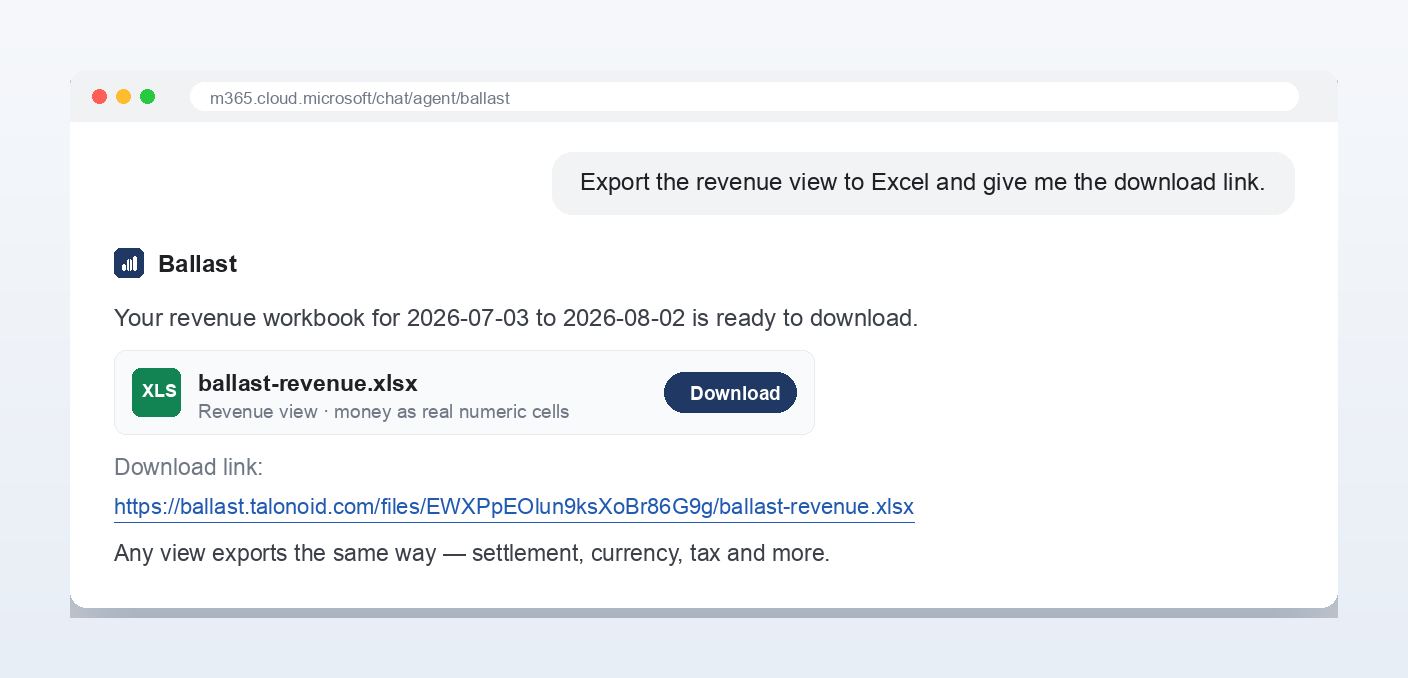
Any view becomes a formatted .xlsx workbook — money as real numeric cells with the correct currency format, and off-ledger rows flagged.
See it in 25 seconds
Settlement, revenue, currencies, tax — and one-click Excel export.
Why merchants trust the numbers
Most tools ask a language model to do the arithmetic. Ballast never does.
The payout report + a generic AI
Third-party gateways silently left out
The model does the math — numbers drift
“Net sales” that quietly mixes in tax & shipping
Needs an app install and a store connection
Guesses when a figure is missing
Ballast
Names every stream that settles off-ledger
Deterministic engine, integer money math
Honest labels: total collected vs net collected
Upload an order export — nothing to install
Says “not available” instead of guessing
Built for the whole money story
Revenue, currencies, tax and export — all from the order data you already have.
Microsoft 365 Copilot
Prove no money is missing.
See where your Shopify money settled, what will never reach a payout, and export any view to Excel — right inside Copilot.